
Choosing a database client in 2026: an honest field guide
There is no best database client. There is a client that fits how many engines you touch, which operating system you run, what you can spend, and how much you care about what the tool sends home. Ask "what is the best database GUI" and you get a ranked listicle that ignores all of that. Ask "which constraint decides it for me" and the field narrows fast.
This walks the questions that actually change the answer, names real tools at each fork, and says where each one is weak. I work on one of these tools, FlexTable, and I will point out where it fits and where it does not. The facts below were checked against each vendor's own docs and release pages in August 2026.
Start with the one question that splits the field
How many database engines do you work with in a normal week?
If the answer is one, stop reading the multi-database comparisons. The single best tool for one engine is almost always the one the database vendor makes, and it is usually free. A general client that connects to a hundred engines will still be a worse MongoDB tool than the one MongoDB ships.
If the answer is two or more, and especially if one of them is NoSQL, the calculation changes. Now the cost is not the price of any single tool. It is the tax of running several tools at once, each with its own keyboard shortcuts, its own connection manager, and its own window to alt-tab to.
Everything else follows from this fork.
If you live in one engine, use the official tool
Each of the big engines has a first-party client, free, made by the people who make the database. They track new features first and they know the engine's quirks.
MongoDB Compass is the reference for MongoDB. Its aggregation pipeline builder lets you assemble a pipeline stage by stage and see the documents change at each step, which is the fastest way to learn aggregation and to debug a pipeline that returns nothing. It embeds a real mongosh shell, so you are not limited to the visual builder. Two things to know: it is an Electron app, and its telemetry is on by default. You can turn the telemetry off in settings, and the Isolated Edition ships with it disabled, but the default is worth knowing if that matters to you.
RedisInsight is Redis's own GUI. It has a dedicated Pub/Sub workspace, a command profiler that shows every command hitting the server in real time, slow-log inspection, and browsers for the JSON, Search, and TimeSeries modules. If your work is Redis, little else comes close on Redis-specific depth. It is Electron based, and its telemetry is opt-in and anonymized, which is the friendlier default of the two first-party NoSQL tools.
pgAdmin is the de facto Postgres admin tool: full server administration, every Postgres object type, and it is open source. The catch surprises people. The desktop build is not a lightweight native app; it runs a bundled browser and a Python server through an Electron runtime, and pgAdmin's own docs note a single-process bottleneck in server mode. It is capable and it is not light.
MySQL Workbench is Oracle's free MySQL tool, and its data modeling is the reason to reach for it: reverse and forward engineering, a detailed table editor, real ER design. It is MySQL only (other engines appear only as migration sources) and the Windows installer is around 255MB and wants .NET and a Visual C++ redistributable, so "native" here does not mean small.
If you only ever touch one of these engines, one of these tools is very likely your answer, and you can stop here. They are free and they are good at their one job.
If you touch several SQL engines
Now you want one tool that speaks Postgres, MySQL, SQL Server, SQLite, and whatever else the job drags in. The trade is breadth against weight against polish.
DBeaver wins on raw breadth. The Community edition is free and connects to more than a hundred databases through JDBC. If your job is "connect to anything with a driver," nothing matches its reach. It is a Java application built on Eclipse and it bundles a JRE, so it feels heavier than a native tool and starts slower. Its NoSQL support, worth flagging for the next section, is not in the free edition.
TablePlus is the polished native option, strongest on macOS. It is fast, it looks native because it is, and it has an iOS app, which no other tool here offers. It is paid, a one-time license around $99 to $129 with a limited free tier that caps open tabs and connections. Its MongoDB support is browse-oriented and still labeled beta, so treat TablePlus as a SQL-first tool that can peek at Mongo, not a full Mongo client. It sends crash reports by default, which you can turn off.
HeidiSQL is the free Windows veteran. Open source, native, light, and long trusted in the MySQL and MariaDB world, it also handles Postgres, SQL Server, SQLite, and Firebird. The constraint is the platform. HeidiSQL is Windows first. On Mac and Linux it historically ran only through Wine, and while there are now native Linux builds and a native macOS ARM64 build, the Mac version is an early preview: no SQL Server support on Mac yet, and no native build for Intel Macs at all. On Windows it is an easy free recommendation. Off Windows, look elsewhere for now.
DataGrip makes sense if you already live in JetBrains. It shares the IDE machinery, its SQL editor and refactoring are excellent, and it reads more than twenty engines. It is a JVM application and it is hungry; JetBrains suggests around 8GB of RAM. It is free for non-commercial use and about $100 per year commercial, and its usage statistics are on by default with a toggle to disable them.
If you touch SQL and NoSQL and want one window
This is the fork where the single-tool tools stop helping, because none of them cross the SQL and NoSQL line for real. Here the options thin out, and each one asks for something in return.
DBeaver does support MongoDB and other NoSQL engines, but that support lives in the paid tiers, not Community. If you were reaching for DBeaver because it is free, the NoSQL you came for costs roughly $113 per year.
Navicat covers the full spread, SQL and NoSQL, with a mature interface. It is also the most expensive tool in this guide by a wide margin, with perpetual licenses that run past $1,299. For a company standardizing a team it can be justified. For an individual it rarely is.
Beekeeper Studio has a Community edition that is free and open source and has added MongoDB and Redis. Two caveats. It is an Electron app and the macOS build is around 269MB, so it is not the light option. And its MongoDB access works by translating a SQL-like syntax onto Mongo rather than giving you the Mongo shell, which is a different thing from writing db.collection.aggregate([...]) directly.
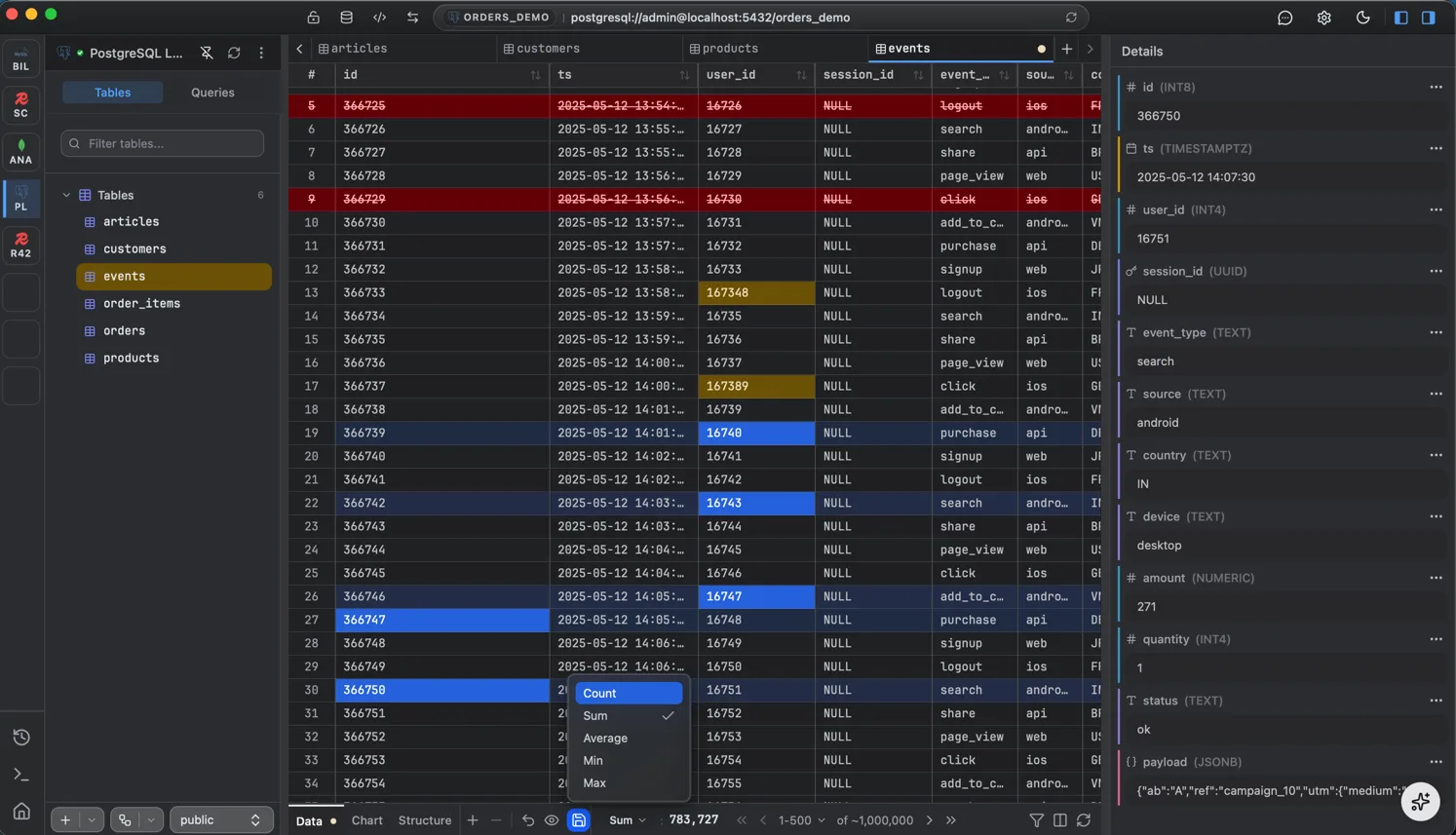
FlexTable is the tool I work on, so read this with that in mind. It puts SQL and NoSQL in one native app: Postgres, MySQL, MariaDB, SQL Server, and SQLite alongside MongoDB and Redis, with a real shell-style editor for Mongo (find, aggregate, insertOne, and the rest, not a SQL translation) and a real command editor for Redis with a Pub/Sub view. It is a native app, not Electron, and the desktop downloads are small, around 11 to 14MB depending on platform. It does no usage analytics; the only outbound calls are update checks, PRO license activation if you use it, backup-tool downloads, and AI requests that go straight to your provider with your own key.
Where it is weak, honestly: it is beta, version 0.8.0, so it is younger and less battle-tested than DBeaver or Navicat. It connects to seven engines, not DBeaver's hundred, so if you need Oracle, ClickHouse, Snowflake, or one of the more exotic warehouses today, it is not your tool yet; those are on the roadmap and not shipped. And it is free during beta, which means the pricing story after beta is not settled. If your requirement is SQL plus real NoSQL in one light native window and your engines are on its list, it fits well. If you need maximum engine breadth or a tool with a decade of production mileage, it does not.
The telemetry question, since people ask
If you handle regulated data or you just prefer your tools quiet, what the client sends home is a real axis, and the tools differ more than you would guess.
Compass collects usage by default and you opt out. DataGrip collects usage statistics by default and you opt out. TablePlus sends crash reports by default and you opt out. RedisInsight is opt-in, so it collects nothing until you agree. For several of the others, pgAdmin, MySQL Workbench, HeidiSQL, Navicat, I could not find a clear public statement either way, so treat those as unknown rather than assume. FlexTable does no usage telemetry at all; its only phone-home is license activation for paid seats, which is not usage tracking.
None of this makes a tool bad. A default-on crash reporter is a normal engineering choice. But if the answer to "does my database client send my query text or connection details anywhere" needs to be no, you have to check each tool, because the defaults are not the same.
A short way to decide
Answer these in order and the field usually collapses to one or two names.
- Do you work with more than one engine in a normal week? If no, use that engine's official free tool and stop.
- Do any of your engines include MongoDB or Redis, and do you want them in the same tool as your SQL? If yes, you are choosing among DBeaver paid, Navicat, Beekeeper, and FlexTable, not the free single-engine tools.
- What do you run? On Windows, HeidiSQL is a strong free SQL option. On a Mac, especially Apple Silicon, prefer a native tool and be wary of the Electron and JVM options if startup speed and memory matter to you.
- What can you spend? Free and multi-engine points at DBeaver Community (SQL only) or Beekeeper or FlexTable. Paid points at TablePlus (one-time), DataGrip (yearly), or Navicat (a lot).
- Does telemetry matter for your data? If yes, check the tool's default, because they are not the same, and prefer opt-in over opt-out.
Most people never reach question five, because one of the first four already picked for them.
FAQ
What is the best free database client?
There is no single best one; it depends on your engines. For one engine, the vendor's own free tool is usually best: Compass for MongoDB, RedisInsight for Redis, pgAdmin for Postgres, MySQL Workbench for MySQL. For many SQL engines free, DBeaver Community has the widest reach, and HeidiSQL is excellent on Windows. For SQL plus NoSQL free in one native app, Beekeeper and FlexTable are the main options.
Which database client is best for Mac?
On macOS, prefer a native tool over Electron or JVM if speed and memory matter. TablePlus is the polished native SQL option and has an iOS app. FlexTable is native and covers SQL plus NoSQL. Avoid HeidiSQL on Mac for now, since its Mac build is an early preview and has no Intel version.
Do I need a paid client, or is free enough?
Free is enough for most work. Paid buys polish (TablePlus), IDE integration (DataGrip), or NoSQL inside an otherwise free tool (DBeaver's paid tiers). The one case where free runs out is wanting SQL and NoSQL together without paying, which is why the free-and-unified options are worth knowing.
Which clients support both SQL and NoSQL in one tool?
DBeaver (NoSQL in paid tiers only), Navicat (expensive), Beekeeper (Electron, and Mongo via a SQL-like translation rather than the shell), and FlexTable (native, real Mongo shell and Redis editor, seven engines, currently beta). The single-engine tools like Compass and RedisInsight do not cross into other engines.
How do I know what my database client sends home?
Check its settings and privacy docs, because defaults vary. Compass and DataGrip default to on and let you opt out; RedisInsight is opt-in; TablePlus sends crash reports by default. When a tool has no clear statement, treat it as unknown rather than assume it is quiet.
FlexTable is a free native client for SQL and NoSQL databases, mentioned above as one option among several. Download it free.